ZOGENIE INSIGHTS
Export API for Zoho CRM Walkthrough
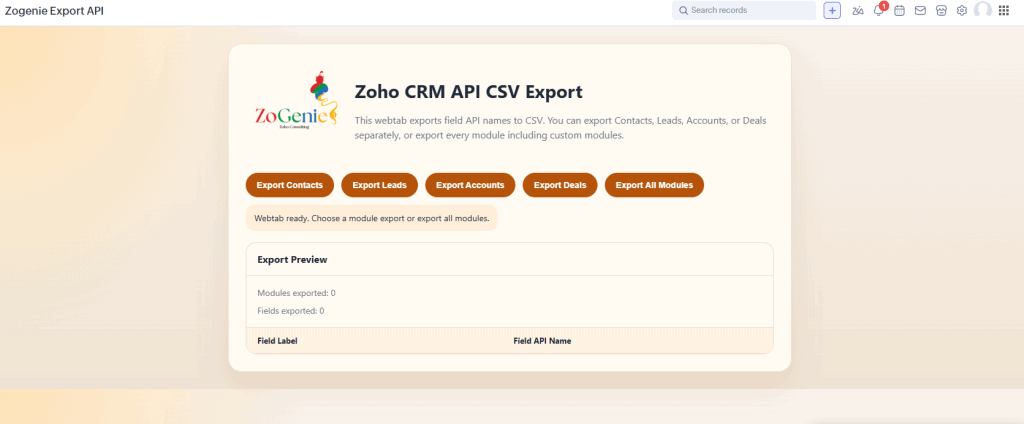
Introducing the ZoGenie API Name Exporter Widget
The widget maps out your entire CRM structure, including:
- Standard Modules (Leads, Accounts, Contacts, Deals)
- Custom Modules
- System Fields
- Custom Fields
Walkthrough: How to Use It (It’s One Step)
I’m not a fan of long manuals. If a tool is well-designed, it should be intuitive. Here is the complete “User Guide” for the Zogenie widget:
Step 1: Press the Export Button.
That is it. When you open the widget interface, you will see buttons to download your field data. You can choose to download the API names for a specific module or grab everything at once. Once you click, a CSV file is generated and downloaded to your computer instantly.
No waiting, no processing screens, just your data in a format you can actually use.
Real-World Use Case: Streamlining Custom Zoho Workflows
Let’s look at a practical example of how this speeds up zoho crm automation. Imagine you want to create a workflow that calculates a custom commission based on three different fields in the “Deals” module and then updates a field in the “Sales Commissions” custom module.
In the old way, you would:
- Go to Settings -> API Names -> Deals. Find the three field names.
- Go to Settings -> API Names -> Sales Commissions. Find the target field name.
- Write the Deluge script, likely making a typo in one of the long custom field names (like
Commission_Rate_2024_Revised). - Test, fail, find the error, fix it, and save.
With the Zogenie widget:
- Open the widget and click “Download CSV.”
- Upload that CSV to ChatGPT.
- Prompt: “Based on the attached CSV, write a Deluge script for the Deals module that takes
Field_AandField_B, multiplies them, and updatesField_Cin the Sales_Commissions module.” - Copy, paste, and watch it work.
Summary of Key Features:
- Instant CSV Export: Get all API names in seconds.
- AI-Ready Data: Feed your CRM schema to LLMs for perfect code.
- Zero Configuration: Install and click.
- Cross-Module Support: Works with standard and custom modules.
If you want to see how we’ve helped other businesses streamline their workspace, take a look at our testimonials. We’ve spent years mastering the quirks of the Zoho ecosystem so you don’t have to.